
Effective Tips for Setting Boundaries with Notifications
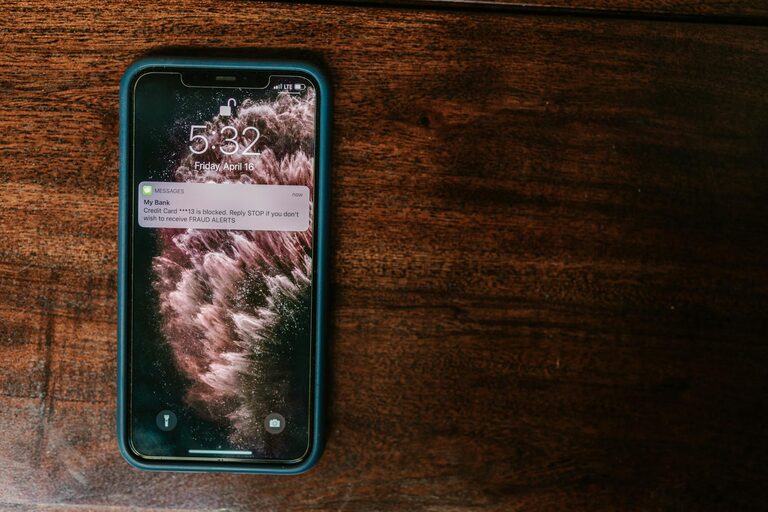
In today’s connected world, notifications from our phones, computers, and apps are constant. While they keep us informed, they can also overwhelm and distract us, reducing productivity and increasing stress. Setting boundaries with notifications is essential to maintain focus, protect your wellbeing, and ensure you control your digital life instead of the other way around.
In this post, we’ll explore practical tips to help you manage your notifications effectively and create a healthier relationship with your devices.
Why Setting Boundaries with Notifications Matters
Notifications are designed to grab your attention, often interrupting your work or downtime. When unchecked, they can:
– Cause distraction and reduce concentration
– Increase stress and anxiety
– Interrupt deep work or creative flow
– Negatively affect sleep patterns
– Lead to inefficient multitasking
By setting clear boundaries, you regain control over when and how you engage with notifications, improving both your productivity and peace of mind.
Tips for Setting Boundaries with Notifications
1. Audit Your Notifications Regularly
Start by reviewing which apps are sending you notifications. Most devices allow you to see a list of apps and customize notification settings for each.
– Identify which notifications are essential (e.g., calls, messages from close contacts)
– Disable non-urgent notifications like promotions, social media likes, or game updates
– Consider uninstalling apps that frequently disrupt you without significant benefit
2. Use Do Not Disturb Mode Strategically
“Do Not Disturb” (DND) is a built-in feature on most smartphones and computers.
– Schedule DND for certain times, such as during work hours or at night
– Allow exceptions for important contacts or emergency alerts
– Use DND during meetings or focused work sessions to minimize interruptions
3. Customize Notification Types
Not all notifications need to be treated the same.
– Choose banners, badges, sounds, or vibrations based on priority
– Make alerts for critical apps more prominent and keep others subtle or silent
– Disable notification previews on lock screens to reduce distraction and maintain privacy
4. Batch Your Notification Checks
Rather than responding as notifications arrive, set designated times to review them.
– Check emails and messages in scheduled intervals (e.g., every hour or twice a day)
– Turn off notification alerts for apps in between these times
– This approach helps you focus uninterrupted and reduces the feeling of constant urgency
5. Limit Social Media Notifications
Social media platforms can generate frequent and often unnecessary notifications.
– Disable push notifications for likes, comments, or new followers
– Keep alerts only for direct messages or important group notifications
– This helps reduce the temptation to check apps constantly
6. Turn Off Notifications While Sleeping
Sleep quality is crucial, and notifications can interfere with restful nights.
– Enable “Do Not Disturb” or “Sleep Mode” during your regular sleeping hours
– Avoid using phones or computers right before bed to prevent disrupting your circadian rhythm
– Turn off sounds for notifications or switch to airplane mode if necessary
7. Manage Work-Related Notifications Separately
Work apps often send many notifications, which can extend your workday unintentionally.
– Set boundaries around work communications by scheduling when work-related notifications come through
– Mute work apps during personal time to maintain work-life balance
– Use collaboration tools’ features to customize alert preferences
8. Use Third-Party Apps to Manage Notifications
There are apps designed to help you manage notifications more effectively.
– Some apps allow you to group similar notifications, mute them temporarily, or set smart schedules
– Use these tools to complement your device’s built-in settings for better control
Additional Tips for Digital Wellbeing
– Practice Mindfulness: Be conscious of how and when you respond to notifications.
– Communicate Boundaries: Let friends, family, or colleagues know your preferred communication times.
– Create Device-Free Zones: Designate certain areas or times in your day without devices to reduce notification disruptions.
Conclusion
Notifications serve an important function but can easily become a source of distraction if left unmanaged. By auditing your notifications, using built-in tools like Do Not Disturb, batching checks, and setting clear boundaries, you can take back control over your attention. These small steps help you focus better, reduce stress, and improve your overall digital wellbeing.
Start implementing these tips today and enjoy a more balanced, less interrupted daily routine.